
Tennis clubs and club tournaments
Your tennis club's tournaments, from sign-ups to standings
Register the club, create the tournament and send a link: members enter from their phones, the platform makes the draw and the schedule, players record the results and their opponents confirm them, and the draw sheet and standings update by themselves. It is free, in five languages, and it works with the TennisScore app too.
Register your clubFind a club →Free. Only the people who run the club need an account.
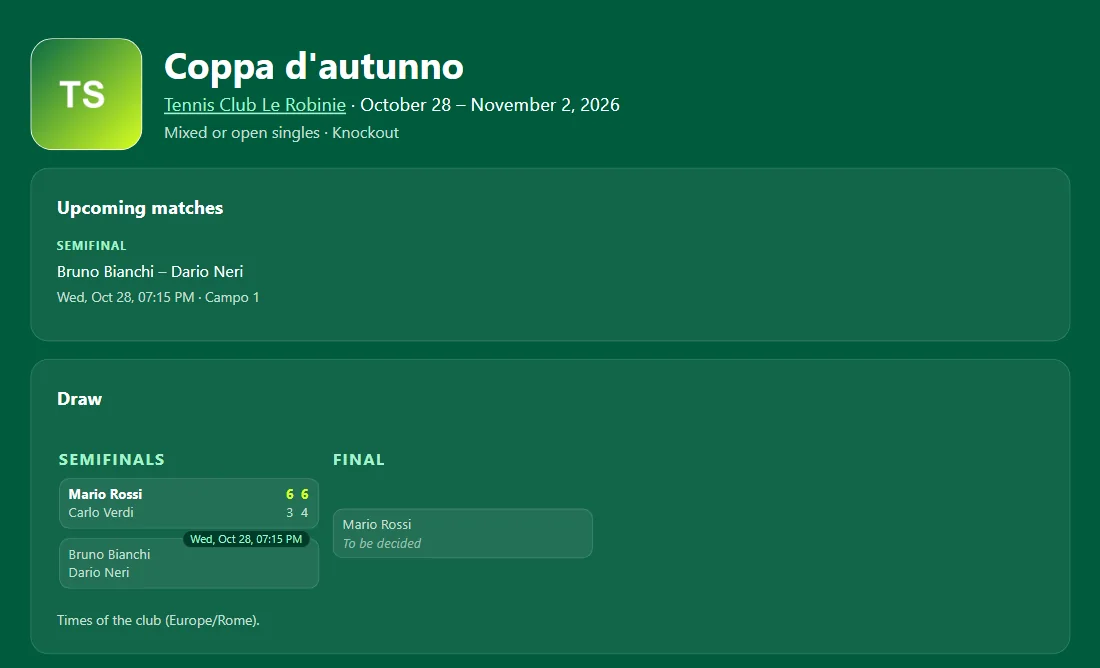
The pictures show a sample club and sample tournaments.
- FreeFor the club and for the players.
- No account for playersThey enter from a link or a QR code, and each gets a personal link.
- From the draw to the standingsKnockout draws, round robins, leagues and team ties, with your club's rules.
- From the app tooWith TennisScore the match is played with the tournament rules and the result is sent with one tap.
Your club's page
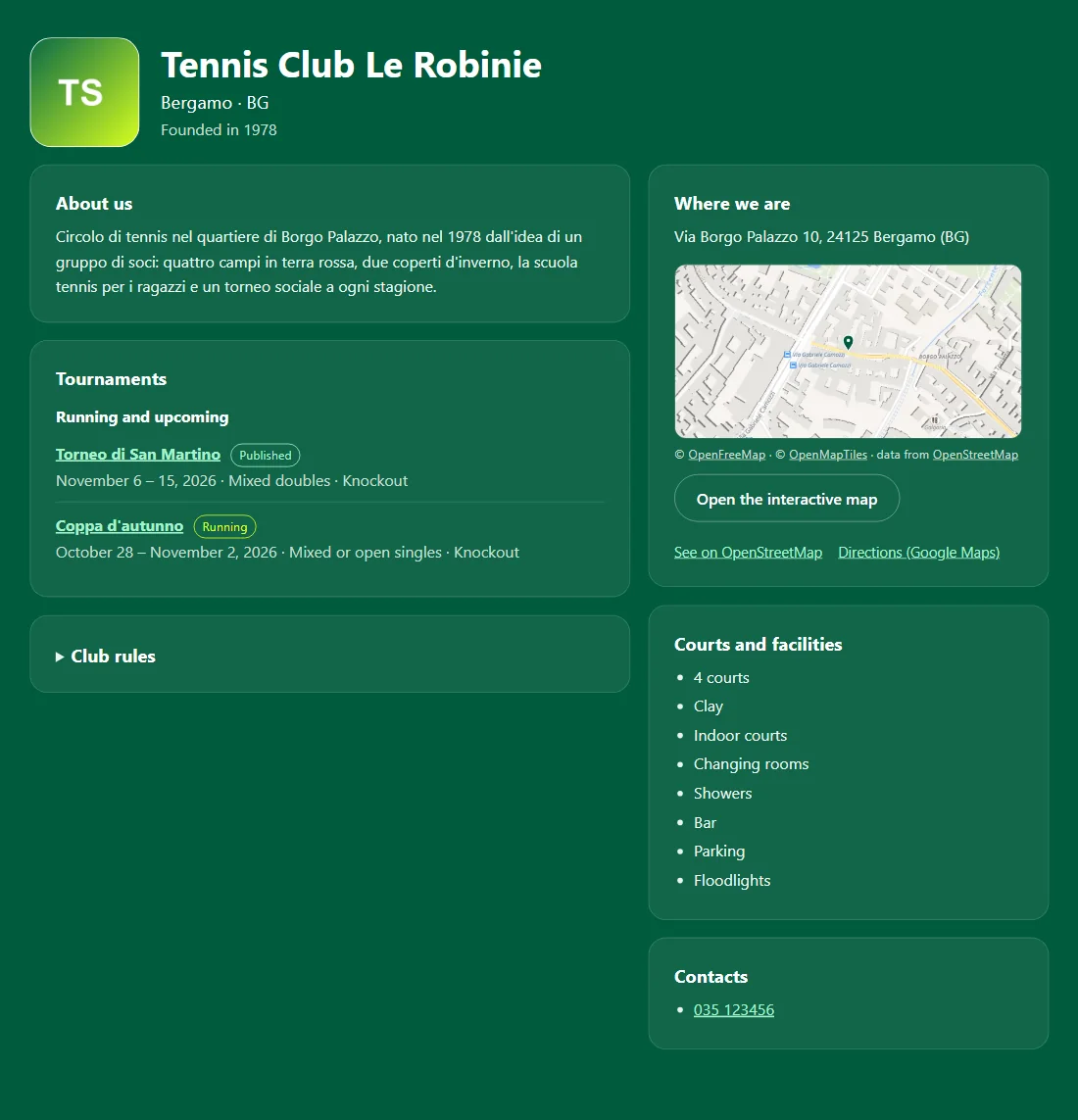
The club registers in five steps and gets its public page, to send to members and to be found in the club directory.
- Name, logo, pictures and a description of the club
- The address confirmed on the map, with directions
- Courts, surfaces and facilities; contacts and club rules
- Current and upcoming tournaments, each with its link
- Several administrators: you invite them by email, and you can appoint an organiser for a single tournament
Sign-ups with a link or a QR code
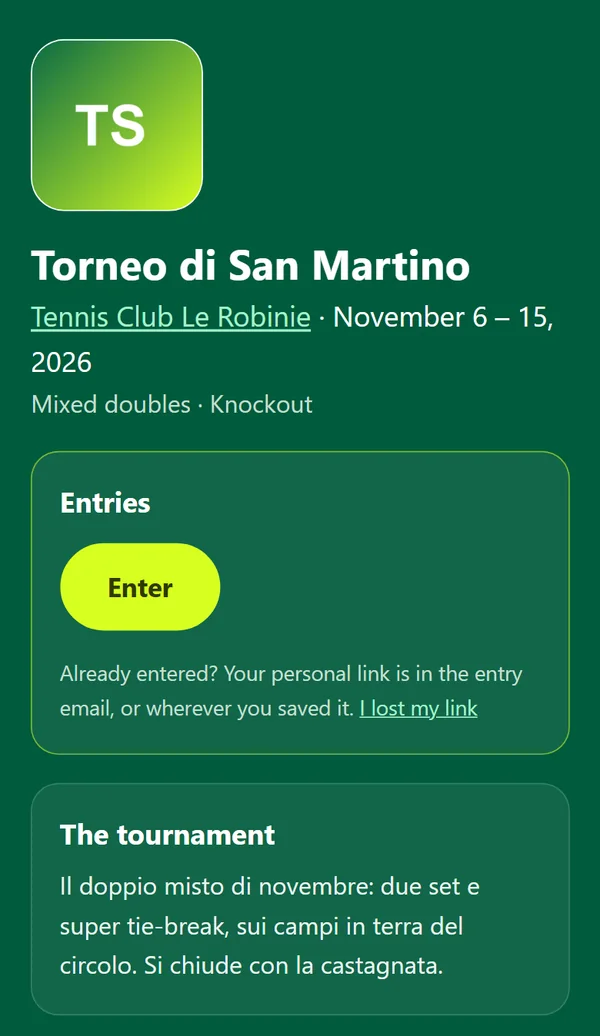
Every tournament has its own address, its QR code and a poster ready to print or to post in the club's group chat.
- Players enter from their phones without creating an account, and get a personal link for their matches
- Singles, doubles (the partner confirms from their own link) or teams
- Limited places with a waiting list, members-only tournaments, or tournaments open only to those who have the link
- For minors the club decides: under 14 only the club can enter them, with the parents' consent
Rules and formats
Choose the rules from ready-made templates or one by one; the tournament page states them plainly for everyone.
- Best of one, three or five sets, games per set, tie-break, match tie-break instead of the deciding set, no-ad scoring, a single timed set
- Knockout draw with seeds, byes and a third-place match
- Round robin, several groups with a final stage, points league
- Team ties: two singles and a doubles, three doubles as in team padel, four singles and a doubles
Draw, schedule and courts
When entries close, the draw prepares the matches: preview it, swap two places if needed, and confirm.
- You choose the seeds; byes go to them first
- Schedule matches one by one or in bulk on the club's courts; overlaps are flagged
- A change of time reaches the players concerned by itself
Results from the players, standings by themselves
The result is proposed by whoever played, from their personal link; the opponent confirms or disputes it, and the organiser steps in only when needed. If nobody answers, the result stands after the time you choose (48 hours by default); or only the organiser enters results.
- Draw sheet and standings update with every result; ties on points are broken by wins and head-to-head (in the order you choose), then by set and game difference
- Retirements and walkovers have their own rule, and every correction stays in the match history
- Notices by email and, where the browser supports them, push notifications on the phone; up to three messages a day to all entrants
On court with the TennisScore app
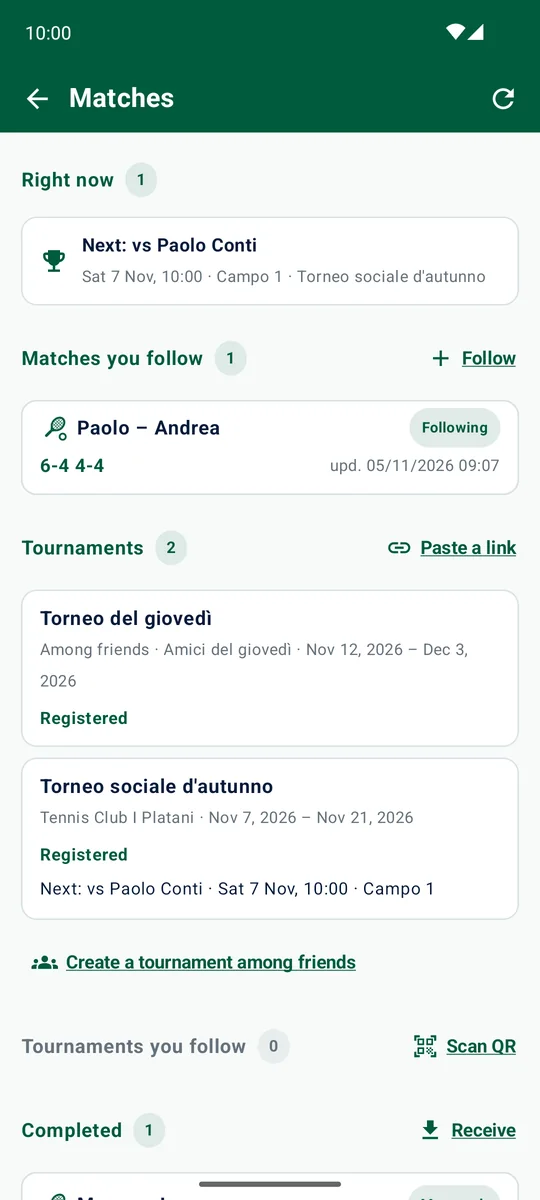
From version 1.5 of the Android app, players open the tournament link or scan the QR code and enter from the app. On the Matches page they find their matches, their next opponent and their notices.
- "Play with the app" starts the match with the tournament rules: score it point by point
- When the match ends the result is sent with one tap, and the opponent confirms it
- Rules the app does not play yet (a timed set, for example) are entered by hand, from the app or from the personal link
Privacy and data
- Players do not create an account: they have a personal link, from which they can download their data
- Database and images are stored in Europe
- The platform's legal pages (privacy notice, terms, your data) are in Italian and in English
How to start
- Sign in with Google or with your email
- Register the club: details, address on the map, logo, contacts
- Create the tournament: dates, format, rules, entries
- Send the link, the QR code or the poster to the members
- Close entries, make the draw and schedule the matches
- Players play, propose and confirm the results: you watch the draw fill in
Frequently asked questions
How much does it cost?
Nothing: the platform is free for the club and for the players.
Do players have to create an account?
No. An account is for the people who run the club, with Google or email. Players enter from the tournament link or QR code, or from the TennisScore app, and get a personal link for their matches and results.
Does it work for a padel club too?
Yes. A tournament can be singles, doubles or teams, including doubles-only ties as in team padel, and you choose the rules set by set: games, tie-break, match tie-break, no-ad scoring.
Who enters the results?
The club decides for each tournament: the players, with the opponent's confirmation and the organiser settling disputes, or the organiser alone.
How is it different from a tournament among friends?
A tournament among friends needs no club, is private (it opens only with its link) and has at most 64 entries. A club's tournaments are on its public page, can have several organisers and stay in its history.
Which languages is the platform in?
Italian, English, Spanish, French and German; the legal pages are in Italian and English.
Your next club tournament starts here
Register the club, create the tournament and send the link to the members.
Register your clubFind a club →
With the TennisScore app members enter, play the match and send the result from the court.